From autocomplete to Claude Code: how I actually use an AI agent on a real codebase
For a long time my AI tooling was autocomplete. It finished the line I was already typing, and when it guessed wrong I hit escape and typed it myself. Useful, but it never changed how I worked. It sat inside the file I already had open and had no idea the rest of the project existed.
Claude Code is a different shape of tool. It runs in the terminal, it reads and edits files across the whole repo, it runs your tests, and it reads the output. That difference sounds incremental. It is not — it moves the unit of work from "finish this line" to "make this change, and check it worked."
I have been using it daily on this portfolio: an Angular frontend and a .NET API, both of which appear elsewhere on this blog. Here is what actually earns its keep, in rough order of how much difference it made.
Write a CLAUDE.md before you write anything else
This is the single highest-leverage file in the repo, and most people skip it.
CLAUDE.md sits at the project root and gets loaded into context at the start of every session. It is where you write down the things a new contributor would need to be told and would never infer from the code: which package manager to use, how to run one test instead of the suite, the folder conventions you actually enforce, the thing that looks wrong but is deliberate.
Without it you re-explain your project every session. With it, you explain it once.
Run /init to generate a first draft from the codebase, then edit it hard. The generated version describes what the code is. The valuable half is what the code is not, and only you know that:
## Conventions
- Standalone components only. No NgModules.
- Signals for state. Do not add RxJS unless the stream is genuinely async.
- Every component gets a .spec.ts. Storybook story optional, spec is not.

## Gotchas
- `content/` holds copy, not logic. Business rules never go there.
- The API cache under content/blog is generated. Do not hand-edit it.
Keep it short. A 400-line CLAUDE.md is a file nobody maintains and the model half-reads. Mine is under a hundred lines and I prune it when something stops being true.
Make it plan before it edits
For anything that touches more than one or two files, get a plan first.
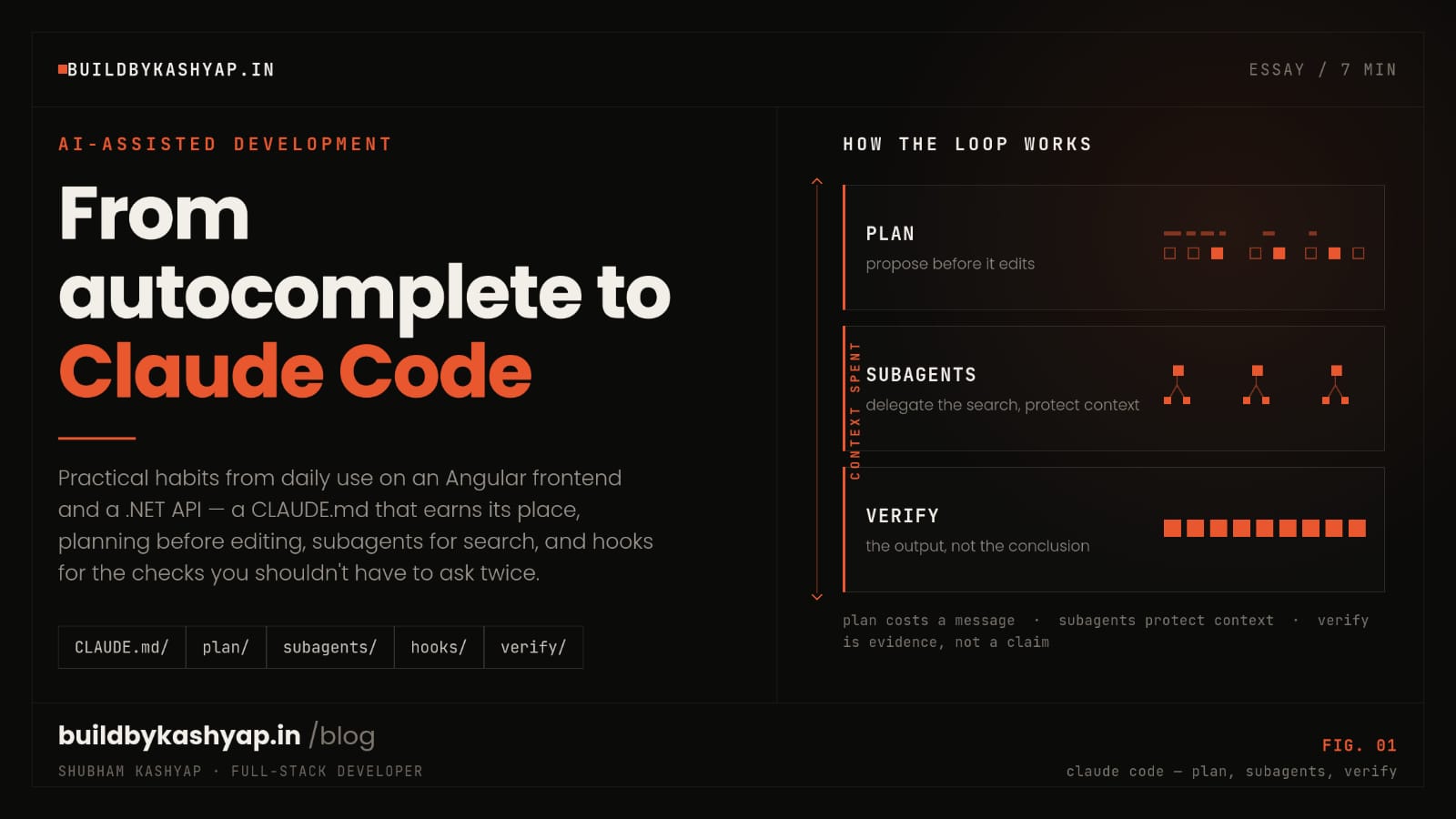
Plan mode lets Claude read the codebase and propose an approach without writing anything. You read the plan, correct the two things it got wrong about your architecture, and then let it execute. Correcting a plan costs you one message. Correcting a finished implementation that took the wrong approach costs you a review, a revert, and your patience.
The failure mode this prevents is specific and expensive: the model does something reasonable that is wrong for your codebase, and does it thoroughly, across nine files.
Point it at the right place
Claude Code will search a repo on its own, and it is decent at it. It is much better when you skip the search.
Compare:
Fix the bug where cover images do not show up.
with:
work-card.htmlrenders the cover. The URL comes fromcoverImageincontent/models/blog.model.ts, which is populated incore/services/blog-content.ts. The image 404s. Find out why.
The second one is thirty seconds of typing and removes an entire exploration phase, along with every wrong turn that phase could have taken. You already know where the code lives. Saying so is not hand-holding, it is the highest-value information you have.
Push exploration into subagents
When you genuinely do not know where something lives, delegate the search rather than doing it in your main session.
A subagent runs the search in its own context and reports back a conclusion. The value is not speed, it is that fifty files of grep output never enter the conversation you are actually working in. Your main session keeps its context for the change itself, which is what you want it spending attention on.
This matters more the longer a session runs. Context is a budget. Searching is the most expensive thing you can spend it on and the least valuable thing to keep afterwards.
Turn repeated workflows into skills
The third time you type the same multi-step instruction, stop typing it.
Skills are markdown files in .claude/skills/ that package a workflow — a release checklist, your code review standards, the exact way your team writes migrations. They load when relevant, so they cost nothing until they are needed. Slash commands do the same for things you want to trigger by name.
This is the difference between a tool that is helpful and a tool that knows your process. It is also how the knowledge outlives you being the person who remembers it.
Let hooks enforce what you actually care about
Asking nicely does not scale. Hooks do.
Hooks are commands the harness runs at fixed points — before a tool call, after an edit, when a session ends. If every TypeScript edit should be followed by a typecheck, that is a hook, not a sentence in CLAUDE.md you hope gets honoured. The harness runs it, so it runs every time.
Use them for the non-negotiables: formatters, linters, typechecks. Leave the judgement calls in CLAUDE.md.
Make it verify its own work
The instruction that changed my results most is the most boring one: finish by running the thing.
Not "the change looks right." Run the test. Start the dev server and load the page. Curl the endpoint and show the status code. Claude Code can do all of it, and a model that has just read a failing test behaves completely differently from one that is reasoning about whether its code probably works.
Ask for the output, not the conclusion. "Tests pass" is a claim. A pasted test summary is evidence.
What it does not solve
It does not know what you should build. It is very good at "make this work" and has no opinion worth trusting on "is this worth doing." Product judgement stays yours.
It is confidently wrong at the edges of the unusual. On well-trodden ground — a standard Angular component, a typical EF Core query — it is reliably right. On the strange thing your codebase does for a good reason, it will produce something plausible, conventional, and wrong. That is exactly the case where you must read the diff properly, and exactly the case where it is most tempting not to.
It will not save a codebase nobody can navigate. If your project has no conventions, no tests, and no structure, the model has nothing to anchor to and produces output as inconsistent as the codebase it is reading. Tooling amplifies the codebase you have. That cuts both ways.
And you still own everything it writes. Reviewing an agent's diff is a real skill, and it is not the same as reviewing a colleague's. A colleague's mistakes cluster around what they misunderstood. A model's cluster around what looked most typical.
Where I have landed
I do not use it to write code I could type faster myself. I use it for the work that is mostly mechanical but too fiddly to be quick: threading a change through nine files, writing the tests I would otherwise put off, tracing a bug across a stack boundary, doing the migration that is boring in a way that makes me careless.
The tools that survive in my setup are the ones that let me stay on the interesting problem. This one does, on the condition that I do my half: tell it where things are, make it plan, and make it prove the change works.
That is not a large amount of discipline. It is roughly the discipline good engineering asks for anyway.
More from the blog
More on the same themes as this post.
Meet Suggu: safe .NET workspace automation from the terminal
The code works, nobody understands it: the real cost of AI-assisted development