How I Modernized a Legacy Project in Two Weeks Using Claude and Codex
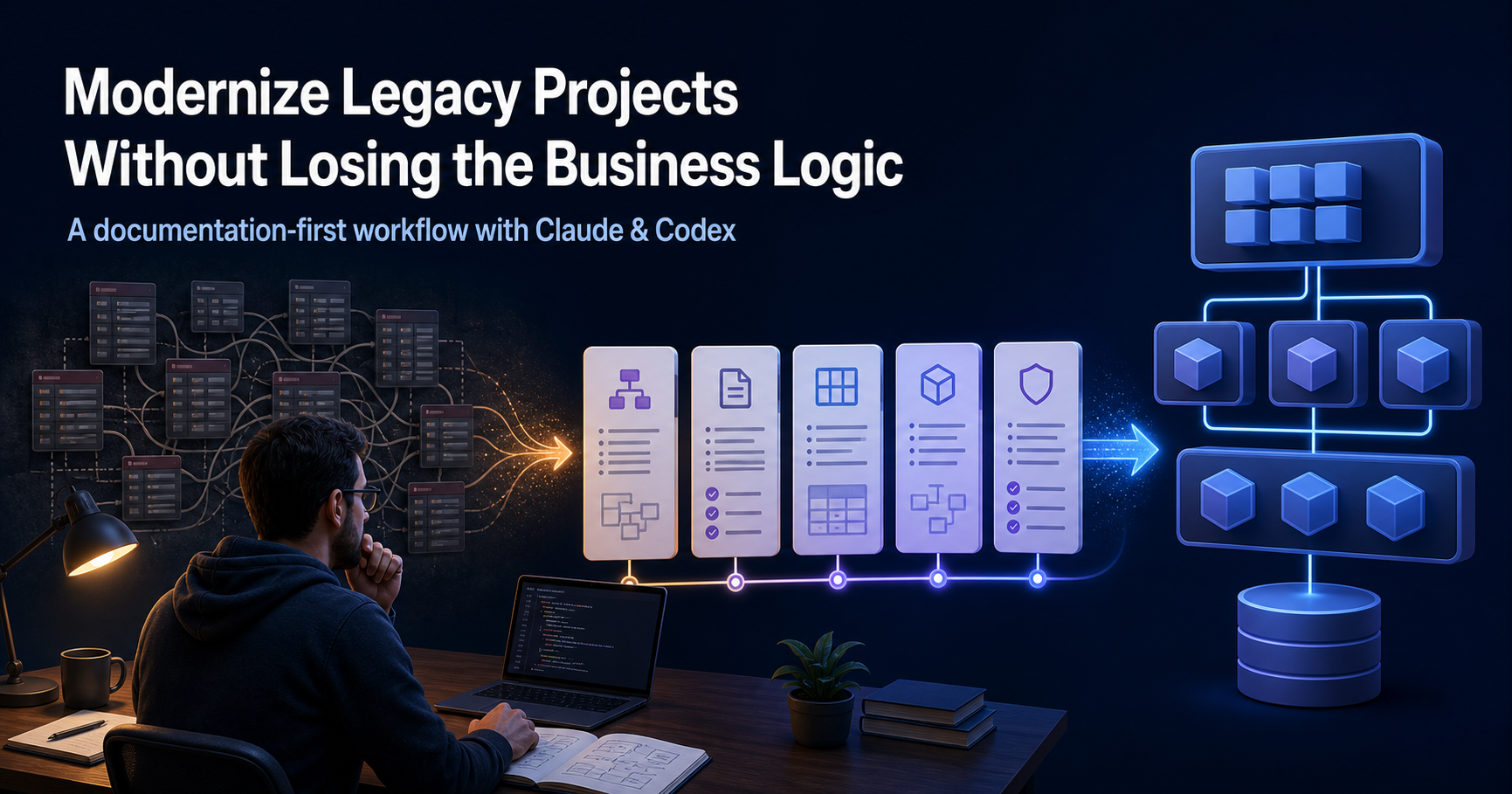
A legacy upgrade rarely fails because someone cannot write the new code. It fails because the old system has years of business decisions hiding in database tables, stored procedures, service layers, edge cases, and naming conventions nobody remembers explaining.
I recently used Claude, and sometimes Codex, to modernize an older project. Work that I would normally expect to take three to four months of concentrated effort was completed in about two weeks.
That does not mean AI magically rebuilt the application. The speed came from changing the order of work: understand first, document second, implement in small verified phases third.
This is the workflow I used.
The trap: asking AI to “read the whole codebase”
My first rule was simple: do not ask the model to absorb the entire repository and immediately propose a rewrite.
That creates a confident-looking answer built on partial context. Legacy systems need a slower first pass. Before any upgrade work, I asked Claude to investigate the application like a new senior engineer joining the team:
- map the database schema and the relationships between tables
- identify stored procedures, important queries, and data flows
- trace the business layer in the codebase
- explain the end-to-end business logic behind the main user journeys
- flag unknowns, assumptions, and risky areas instead of guessing
The goal was not to generate code. The goal was to turn hidden logic into something reviewable.
The code cleanup: finding the same logic in too many places
The old codebase was not only outdated; it was fragmented. Different developers had solved the same business problem in different classes over time. A validation here, a calculation there, a special case in a service, and another variation hidden in a controller or helper.
That is how legacy systems become difficult to change. No single file looks impossible, but the business logic is scattered across multiple layers. Updating one path can quietly break another because the same rule exists in several versions.
I used AI as a codebase detective. Instead of asking it to refactor blindly, I asked it to trace each important business rule, list every class and method involved, compare the differences, and identify the real source of truth.
This gave me a practical refactoring map:
- which classes duplicated the same responsibility
- where logic conflicted or had drifted over time
- which rules belonged to the business domain rather than infrastructure or UI
- what could be safely consolidated in each phase
Moving the business logic into the domain layer
With that map, the modernization was not a cosmetic cleanup. I moved the core business logic into a dedicated domain layer and rebuilt the surrounding code around clear responsibilities.
The target was clean architecture guided by SOLID principles:
- the domain layer owns business rules, calculations, validations, and decisions
- application services coordinate use cases instead of carrying hidden business logic
- infrastructure handles databases, APIs, and external concerns
- the UI stays focused on input, output, and user experience
The result was easier to reason about. When I needed to understand or change a business rule, I no longer had to search across controllers, services, repositories, and helpers. The rule had a clear home.
AI made the discovery and comparison work much faster, but I still reviewed every move. That review matters: clean architecture is not about forcing every class into a pattern. It is about making the important decisions visible, testable, and hard to duplicate again.
Step 1: extract the business logic before touching the implementation
I started with the database because the database often tells the most honest version of a legacy product. Tables, foreign keys, status fields, audit columns, stored procedures, and strange exceptions usually reveal how the business actually works.
Then I moved through the codebase in slices. Instead of saying “read everything,” I asked for a specific business flow: where it begins, what it validates, which records it changes, which services it calls, and what happens when something goes wrong.
That gave me a growing map of the system without pretending that one pass had captured every detail.
Step 2: turn findings into durable documentation
Once the model had enough context, I asked it to write the findings into Markdown documents. This was the most important step.
The documents became the project’s working memory. They made it possible to pause, switch between Claude and Codex, and continue without re-explaining the whole legacy application every time.
Here is the structure I used:
CLAUDE.md — the entry point
This is the file every coding assistant should read first. It explains what the project is, where the important documents live, how work should be approached, and the non-negotiable rules.
I treat CLAUDE.md as an onboarding guide for Claude, Codex, or any future contributor.
rules.md — what must never break
This contains the business rules, data constraints, permissions, validations, and behaviours that must survive the migration.
If the new code looks cleaner but breaks one of these rules, it is not an upgrade.
architecture.md — how the system is put together
This maps the existing and target architecture: layers, modules, external dependencies, integration points, and decisions about what stays, moves, or disappears.
business.md — what the product actually does
This is the plain-English explanation of the business flows. It is where I keep the “why” behind the tables and code.
phases.md — the migration plan
This breaks the work into small, reviewable phases. Each phase has a clear outcome, scope, validation steps, and definition of done.
conventions.md — how new code should look
This defines naming, folder structure, error handling, testing expectations, API patterns, and anything else that keeps the new codebase consistent.
memory.md — decisions that should not be rediscovered
This is a running log of discoveries, decisions, rejected approaches, open questions, and lessons from each phase.
Step 3: create a full reference document
I also had Claude create a Word document with the business details it had extracted. That gave me a stable, human-readable reference I could keep alongside the project.
Why bother when the Markdown files already exist? Because during a long modernization, information gets compressed, context windows change, and some details get lost between conversations. A reference document gives you something durable to return to when a decision needs to be checked.
Step 4: work in phases, not one giant prompt
With the plan ready, the implementation became much calmer.
For each phase, I gave the assistant the current objective and told it to follow the project documents. Then I reviewed the output and the code before allowing the next phase to begin.
The loop looked like this:
- Read
CLAUDE.mdand the relevant project documents. - Complete only the current phase.
- Explain the changes, assumptions, and test coverage.
- I review the output and run the code.
- Update
memory.mdwith decisions or newly discovered constraints. - Only then move to the next phase.
This is what made switching between Claude and Codex workable. The context was in the repository, not trapped inside a single chat.
What I would do differently next time
I would start the documentation even earlier. It is tempting to jump straight into implementation because the first fixes look obvious. But the more complex the legacy system, the more valuable a few hours of structured discovery become.
I would also keep the phases smaller than feels necessary. A migration phase should be easy to explain, easy to test, and easy to roll back mentally. If a phase touches too many concepts, it is probably several phases pretending to be one.
The real takeaway
AI did not remove the need for engineering judgment. It made the judgment loop faster.
The useful pattern is not “ask AI to rewrite a legacy app.” It is:
Use AI to make the hidden system visible, turn that knowledge into project memory, and upgrade one verified phase at a time.
If you are modernizing an old project, start by creating the map. Once the business rules, data relationships, architecture, conventions, and phases live in the repository, Claude and Codex can become much more reliable collaborators—and you stay in control of every important decision.
More from the blog
More on the same themes as this post.
Meet Suggu: safe .NET workspace automation from the terminal
Blob Storage 101: Cost, Cloud vs Self-Hosting, and Why I Moved from MinIO to RustFS