What I Check in a Free Website Audit (and the 3 Fixes That Matter Most)
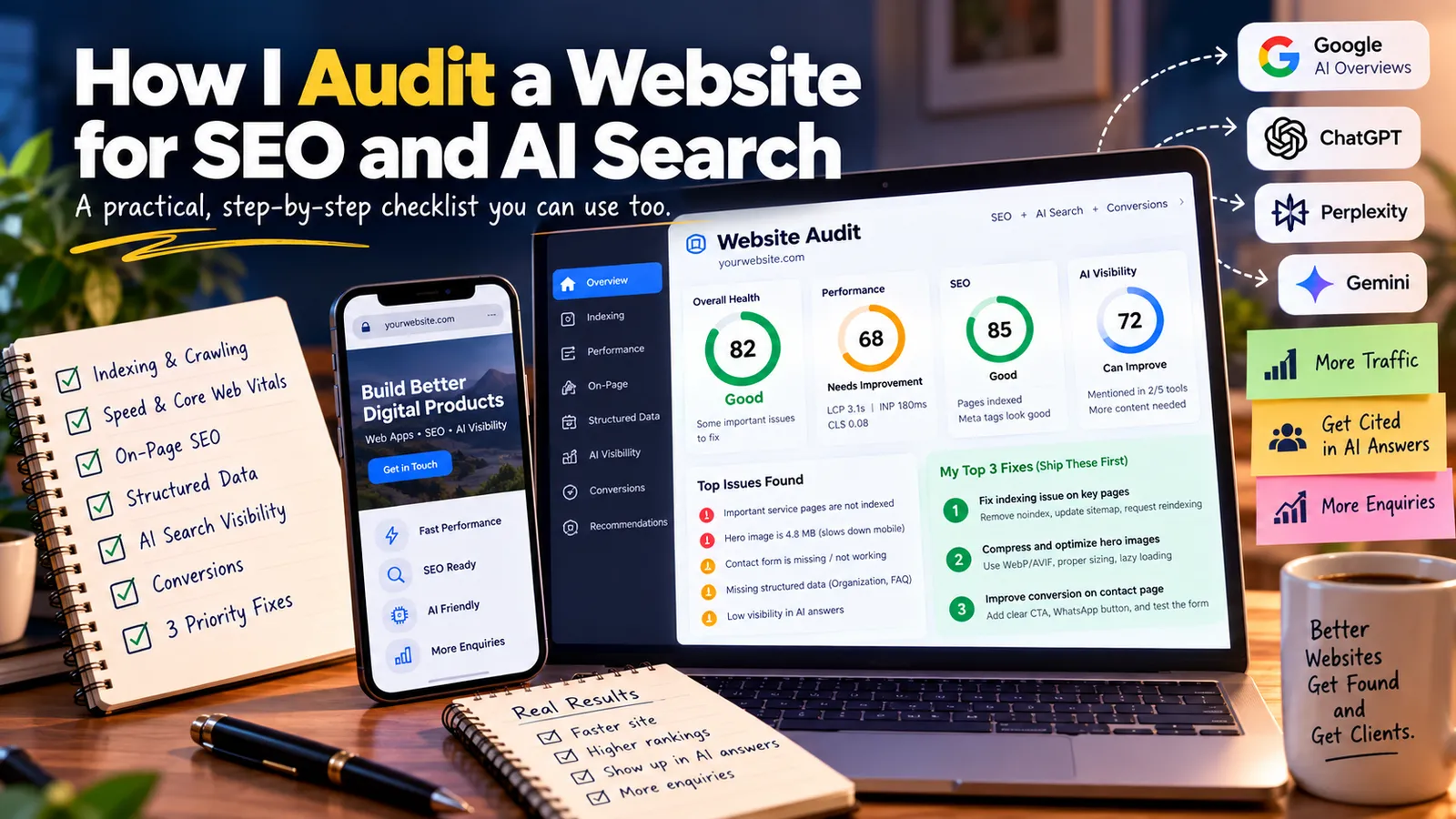
Most website audits I see fall into one of two types. One is a 60-page PDF exported from a tool, full of red warnings nobody acts on. The other is "your SEO is bad, sign up for our monthly plan".
When someone sends me their URL for a free audit, I try to do neither. They get one page: what's healthy, what's broken, and the three fixes I'd ship first. This post walks through exactly what I check to get there, so you can run the same audit on your own site, whether or not you ever talk to me.
What's inside
- The 30-second first impression
- Can search engines and AI crawlers read your site?
- Speed and Core Web Vitals on real devices
- On-page basics: titles, headings and content
- Structured data and entity signals
- How you show up in AI answers
- Conversion: can a visitor actually contact you?
- How I pick the three fixes
- FAQ
1. The 30-second first impression
Before any tool, I open the site on my phone, like a real visitor would.
- Is it obvious within five seconds what you do and who it's for?
- Is there a clear next step (book, call, WhatsApp, buy) without scrolling?
- Does anything look broken: overlapping text, giant images, popups covering the content?
- Does it feel current? A footer saying © 2021 or a blog last updated two years ago quietly erodes trust.
This sounds unscientific, but it catches problems that tools miss, and it's the same judgement your visitors make.
2. Can search engines and AI crawlers read your site?
This is the foundation. If crawlers can't read it, nothing else matters.
Indexing
- I search
site:yourdomain.comon Google to see roughly how many pages are indexed and whether the important ones are there. - If I have Search Console access, I check the Pages report for pages that are "Discovered – currently not indexed" or "Crawled – currently not indexed".
robots.txt and sitemap
- Is
robots.txtaccidentally blocking important sections, or AI crawlers likeGPTBot,PerplexityBotandClaudeBot? - Does
sitemap.xmlexist, list only real, indexable URLs, and is it submitted in Search Console?
Rendering
- I view the page source (not the inspected DOM). If the main content is missing because it's loaded by JavaScript, some crawlers will see an empty page. This is common with single-page apps built in React, Angular or Vue without server-side rendering or pre-rendering.
Status codes and redirects
- Do old URLs redirect cleanly with a single 301, or bounce through chains?
- Are there 404s on pages that are still linked internally?
- Does
http://andwwwredirect to one canonical version of the site?
3. Speed and Core Web Vitals on real devices
I run the main pages through PageSpeed Insights and look first at the field data (real user measurements from Chrome), not just the lab score.
The three numbers I care about:
| Metric | What it measures | Good |
|---|---|---|
| LCP (Largest Contentful Paint) | How fast the main content appears | under 2.5 s |
| INP (Interaction to Next Paint) | How quickly the page responds to taps and clicks | under 200 ms |
| CLS (Cumulative Layout Shift) | How much the layout jumps around while loading | under 0.1 |
The usual culprits I find:
- Hero images that are several megabytes, not resized or compressed, and not in WebP or AVIF
- Web fonts blocking text from appearing
- Third-party scripts (chat widgets, multiple analytics tags, embedded social feeds) loading before the content
- Images and embeds without width and height, causing layout jumps
4. On-page basics: titles, headings and content
For the homepage and the two or three pages that matter most commercially:
- Title tag: unique, under ~60 characters, includes what you do and, if local, where.
- Meta description: written for humans, a clear reason to click.
- One H1 that matches the page's purpose, with H2s that follow a logical outline.
- Content that answers the real question. A service page that says "we deliver quality solutions" but never mentions prices, process, locations served or timelines will struggle to rank and convert.
- Internal links from the homepage and blog to key service pages, with descriptive anchor text.
- Images with alt text that describes them.
I also check for duplicate or thin pages: five near-identical location pages, or tag archives with one post each, can dilute a small site.
5. Structured data and entity signals
- Is there JSON-LD structured data for the organisation or person (
Organization,LocalBusiness,Person), for articles, and for FAQs where relevant? I validate it with Google's Rich Results Test. - Are your name, address and phone consistent across the site, Google Business Profile and directories?
- Do your social profiles link back to the site, and does the site link to them (
sameAsin schema)?
This helps both Google and AI systems understand that all of these profiles describe the same business.
6. How you show up in AI answers
This is the part most audits skip. I write five to ten questions a potential customer would realistically ask, for example:
- "Best wedding photographer in Indore for candid photography"
- "How much does a custom web app cost?"
- "Who builds Angular and .NET web apps for startups?"
Then I run them in ChatGPT, Perplexity, Gemini and Google (AI Overviews) and note:
- Are you mentioned or cited at all?
- Who is cited instead, and what do their pages do that yours doesn't?
- Is anything said about you inaccurate or outdated?
Usually the gap is obvious: competitors who get cited have pages that answer the exact question clearly, near the top, with specific details. I've written more about this in SEO vs GEO: how to get your website cited by ChatGPT, Perplexity and Google AI Overviews.
7. Conversion: can a visitor actually contact you?
Traffic that doesn't turn into enquiries is just a number. I check:
- Is the main call to action visible on mobile without scrolling?
- Does the contact form work? (I submit a test.) Does it have spam protection? Do submissions actually reach you?
- Is there a WhatsApp or call button where that suits the business?
- Are there real testimonials, reviews or case studies near the call to action?
- Is analytics set up so you can see which pages lead to enquiries?
I've lost count of the sites where the contact form has been silently failing for months.
8. How I pick the three fixes
An audit can easily find 40 issues. Sending all 40 is how audits end up ignored. I rank each issue by:
- Impact: how much it's holding back traffic, citations or enquiries
- Effort: how long it takes to fix
- Risk: whether fixing it could break something else
Then I pick the three with the best impact-to-effort ratio. In practice, they're often things like:
- "Your service pages aren't indexed because of a
noindextag left over from development." - "Your hero image is 4.8 MB; compressing it would roughly halve your mobile load time."
- "Your contact page has no phone number or WhatsApp button, and the form is hidden below four screens of text."
None of those are glamorous. All of them matter more than a perfect score in a tool.
FAQ
How often should I audit my website?
A light check every quarter is enough for most small sites, plus a full audit after a redesign, a platform migration or a sudden drop in traffic.
Can I do this audit myself?
Yes. Everything in this post uses free tools: Google Search Console, PageSpeed Insights, the Rich Results Test, your browser's "view source", and the AI tools themselves. The hard part isn't running the checks; it's deciding what matters most.
What's the difference between an SEO audit and a GEO audit?
An SEO audit checks whether search engines can find, understand and rank your pages. A GEO audit adds whether AI systems can extract and cite your content, and how you currently appear in their answers. I do both together because they share the same foundation.
Is a 100 PageSpeed score necessary?
No. Aim for "good" Core Web Vitals in field data. Chasing a perfect lab score often costs more than it returns.
Get your free audit
Send me your URL. Within one business day you'll get a one-page read on your technical health, how you appear in AI answers today, and the three fixes I'd ship first. No 60-page PDF, and no obligation.
More from the blog
More on the same themes as this post.

Your Instagram Isn't a Website: Why Small Businesses & Creatives Need Their Own Online Home

How Much Does a Web App MVP Really Cost in 2026? A Line-by-Line Breakdown