Automated Postgres Backups on a VPS: Your RustFS Bucket Doesn't Count
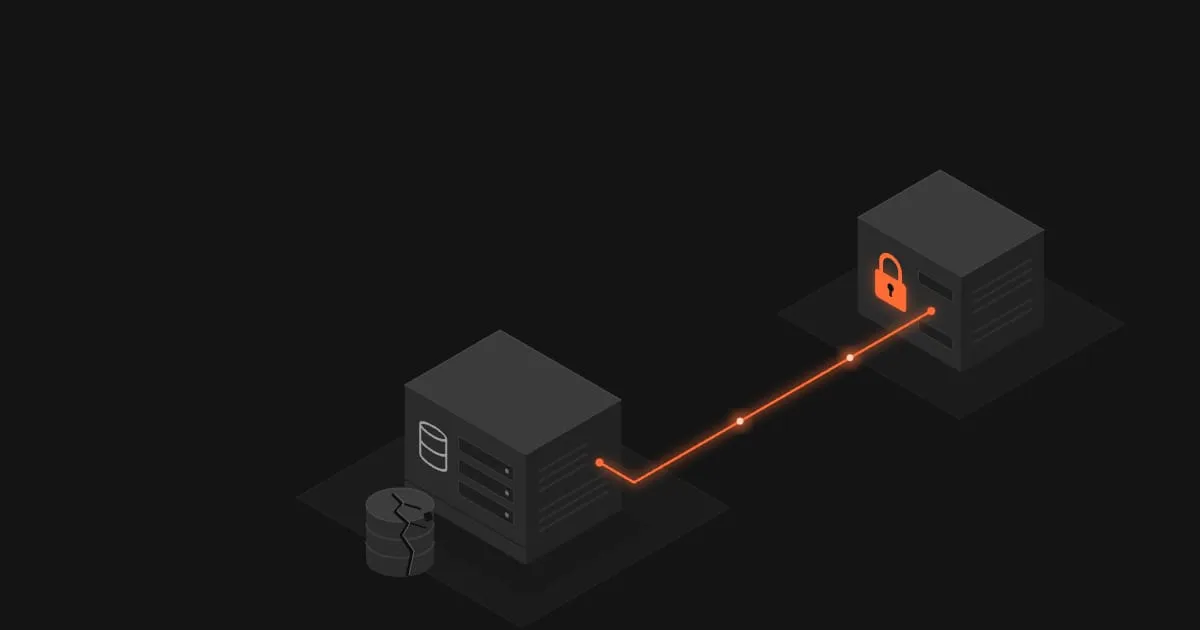
If your Postgres backups are stored on the same VPS as Postgres, you have a copy, not a backup. One dead disk, one suspended hosting account or one compromised root login takes the database and every dump of it in the same minute.
My own setup makes the trap easy to fall into. I run one shared Postgres for several projects on a Hostinger KVM 2 (2 vCPU, 8 GB RAM), managed with Dokploy, and my S3-compatible storage is a self-hosted RustFS instance on that same box. Sending backups to RustFS looks responsible and protects against a bad migration and nothing else. This guide is the automated Postgres backup setup for a single Docker VPS that survives losing the whole server, with a script you can copy and a restore drill that proves it works.
What's inside
- What a Postgres backup has to survive
- Dump the right things: roles plus one file per database
- The backup script
- Retention: 7 daily, 4 weekly
- Getting it offsite, encrypted
- Making silent failures loud
- The monthly restore drill
- Common mistakes
- When pg_dump stops being enough
- FAQ
1. What a Postgres backup has to survive
Before writing a single cron line, list what you're protecting against. On a single VPS it's usually these:
| Failure | Same-box backup survives? | Offsite backup survives? |
|---|---|---|
Bad migration or DELETE without WHERE |
Yes | Yes |
| Container or volume deleted by mistake | Sometimes | Yes |
| Disk failure or corrupted filesystem | No | Yes |
| Hosting account suspended or billing lapse | No | Yes |
| Server compromised, attacker has root | No | Yes, if the VPS can't delete it |
Three of the five rows need the backup to live at a different company than your server. That's the whole idea behind the old 3-2-1 rule: three copies, two kinds of storage, one offsite.
2. Dump the right things: roles plus one file per database
Two details here catch almost everyone the first time.
pg_dump doesn't include roles. Users, passwords and grants live at the cluster level, outside every database. If you only dump databases, a restore onto a fresh server fails with errors like role "app_user" does not exist. The fix is one extra command: pg_dumpall --globals-only.
Dump each database separately. With one shared Postgres and a database per project, a single giant pg_dumpall means restoring one project's data drags all the others along. Per-database dumps in custom format (pg_dump -Fc) are compressed, restore independently, and let you pull back a single table with pg_restore -t.
So the backup is: one globals file, plus one .dump file per database.
3. The backup script
This runs on the VPS host, talks to the Postgres container with docker exec, and writes to a local folder before uploading. Find your container's name with docker ps --filter name=postgres (Dokploy gives services generated names).
#!/usr/bin/env bash
# /opt/backups/pg-backup.sh
set -euo pipefail

CONTAINER="your-postgres-container"
BACKUP_DIR="/var/backups/postgres"
STAMP="$(date +%Y-%m-%d_%H%M)"
mkdir -p "$BACKUP_DIR/daily" "$BACKUP_DIR/weekly"

# Roles, passwords and grants live outside every database
docker exec "$CONTAINER" pg_dumpall -U postgres --globals-only \
  | gzip > "$BACKUP_DIR/daily/globals_$STAMP.sql.gz"

# One custom-format dump per database
DBS=$(docker exec "$CONTAINER" psql -U postgres -At -c \
  "SELECT datname FROM pg_database WHERE NOT datistemplate AND datname <> 'postgres'")

for DB in $DBS; do
  docker exec "$CONTAINER" pg_dump -U postgres -Fc "$DB" \
    > "$BACKUP_DIR/daily/${DB}_$STAMP.dump"
done

# Sunday's set also becomes a weekly copy
if [ "$(date +%u)" = "7" ]; then
  cp "$BACKUP_DIR"/daily/*_"$STAMP".* "$BACKUP_DIR/weekly/"
fi

# Local retention
find "$BACKUP_DIR/daily"  -type f -mtime +7  -delete
find "$BACKUP_DIR/weekly" -type f -mtime +28 -delete

# Encrypted offsite copy (see section 5)
rclone copy "$BACKUP_DIR" offsite-crypt:postgres --transfers 2

# Tell the monitor we finished (see section 6)
curl -fsS -m 10 --retry 3 "https://hc-ping.com/YOUR-CHECK-UUID" > /dev/null
Schedule it with cron. Most VPS images run in UTC, so 0 21 * * * is 02:30 in India:
0 21 * * * /opt/backups/pg-backup.sh >> /var/log/pg-backup.log 2>&1
set -euo pipefail matters more than it looks. Without it, a failed pg_dump still leaves an empty file behind, the upload succeeds, and the health check reports green while you're backing up nothing.
Using Dokploy? Its database services have a Backups tab that runs scheduled dumps to an S3 destination. That's a fine way to cover the per-database part. Point the destination at storage outside your VPS, and check whether your version also captures roles; if it doesn't, keep the globals line from the script.
4. Retention: 7 daily, 4 weekly
Keeping every backup forever fills the disk. Keeping only last night's means a problem you notice on Friday (a bug that's been corrupting rows since Tuesday) has no clean copy to go back to.
7 daily plus 4 weekly covers both: any day this week, or any Sunday this month. For most small projects that's under a gigabyte, since custom-format dumps are already compressed.
On the remote side, rclone copy never deletes anything. Set retention there with a bucket lifecycle rule (Cloudflare R2 and Backblaze B2 both support one), for example: delete objects under postgres/daily/ after 8 days and postgres/weekly/ after 35.
5. Getting it offsite, encrypted
Any S3-compatible storage at a different provider works. Cloudflare R2 has no egress fees, which helps when you actually need to download a restore, and Backblaze B2 is cheap per gigabyte. Either costs very little at backup sizes.
Encrypt before upload so the storage provider only ever holds ciphertext. rclone does this with a crypt remote layered over the normal one:
rclone config        # 1. create "offsite" (type s3, provider Cloudflare or B2)
rclone config        # 2. create "offsite-crypt" (type crypt, remote offsite:pg-backups)
Store the crypt password somewhere that isn't the VPS: your password manager, plus a printed copy if the data matters to clients. An encrypted backup with a lost key is the same as no backup.
Last step: give the VPS write-only credentials if your provider allows scoped keys. If an attacker gets root, they can upload but can't delete your history.
6. Making silent failures loud
Backups rarely fail loudly. A container gets renamed during a redeploy, docker exec errors, cron logs it to a file nobody reads, and three weeks pass.
The fix is a dead man's switch. Healthchecks.io (free tier, or self-hostable) gives you a URL; the script pings it at the very end, and if no ping arrives within the expected window, you get an email or a Telegram message. Because of set -e, any failure earlier in the script means the ping never happens.
7. The monthly restore drill
An untested backup is a guess. Once a month, take last night's dump, restore it into a throwaway container, and check that real data comes back:
# Same major version as production: a newer dump won't restore into an older server
docker run -d --name pg-drill -e POSTGRES_PASSWORD=drill postgres:17
sleep 5

docker cp myapp_2026-11-08_0230.dump pg-drill:/tmp/app.dump
docker exec pg-drill createdb -U postgres myapp
docker exec pg-drill pg_restore -U postgres -d myapp --no-owner /tmp/app.dump

# Spot-check something you know
docker exec pg-drill psql -U postgres -d myapp -c "SELECT count(*) FROM users;"

docker rm -f pg-drill
Download that dump from the offsite bucket, not from the local folder. The drill is meant to prove the offsite copy decrypts and restores. Time it, too: that number is how long you'd be down if the server vanished tonight.
8. Common mistakes
- Backing up to the same server. Including a self-hosted S3 bucket on that server. It's the mistake this whole post is about.
- Forgetting roles. Dumps restore with ownership errors, or apps can't log in.
- Copying the data volume while Postgres is running. A raw copy of
/var/lib/postgresql/datataken mid-write can be inconsistent. Usepg_dump, or stop the container first. - No monitoring. The backup that stopped working in August is the one you'll need in November.
- Never restoring. You find out the dump was empty, or the key is lost, on the worst possible day.
- Version mismatch. Restoring a Postgres 17 dump into Postgres 15 fails. Pin the drill container's version to production's.
9. When pg_dump stops being enough
Nightly pg_dump means you can lose up to a day of data. For a portfolio site, a small SaaS in its first year or an internal tool, that's usually acceptable.
When it isn't, or when the dump starts taking long enough to slow the server, look at continuous WAL archiving with pgBackRest or WAL-G. They stream changes to storage as they happen and let you restore to any moment, at the cost of more setup and more to monitor. Start with the script above; move to WAL archiving when losing a day of data stops being acceptable.
For the bigger picture of how I run Postgres alongside everything else on this box, see From hand-rolled Nginx to Dokploy and why I moved from MinIO to RustFS. Your app's credentials deserve the same care as its data: where should your secrets live?
FAQ
How do I back up a Postgres database running in Docker?
Run pg_dump inside the container with docker exec, for example docker exec mypg pg_dump -U postgres -Fc mydb > mydb.dump, and add pg_dumpall --globals-only for roles. Schedule it with cron and copy the files off the server.
Does pg_dump lock the database?
No. It reads a consistent snapshot and doesn't block normal reads and writes. It does block schema changes like ALTER TABLE on the tables it's reading until it finishes.
What's the difference between pg_dump and pg_dumpall?
pg_dump exports one database. pg_dumpall exports every database plus cluster-wide objects like roles. Using pg_dumpall --globals-only with per-database pg_dump files gives you both, with independent restores.
How often should I back up Postgres?
Daily is a sensible default for small projects. If losing a day of data would hurt, add WAL archiving for point-in-time recovery rather than running pg_dump every hour.
Is a volume snapshot from my VPS provider enough?
It's a useful extra layer, but it lives with the same provider, so it won't help if the account is suspended or compromised. Keep a logical backup at a different provider too.
Need this set up on your server?
If you'd rather not be the person who finds out the backups were empty, I can set up backups, deployment and monitoring on your server and document how it all works. Tell me about your setup.
More from the blog
Other write-ups from the same workbench.

Angular Prerendering in Production: 5 Bugs That Only Showed Up Live
IntersectionObserver Not Firing? My Blog Was Blank on Phones for a Month